Intermediate Excel Course for Workplace Productivity – WSQ Singapore
 | 1 Day Course |
 | SkillsFuture Credit |
| UTAP Eligible |
- Course Overview
- Course Outline
- Requirements
- FAQs
Course Objectives
Workplace Productivity using Excel – Intermediate Level
This Intermediate Excel course builds upon the foundational knowledge presented in Workplace Productivity using Excel (Basic level) and will help start you down the road to creating intermediate and advanced level workbooks and worksheets that can help deepen your understanding of organisational intelligence. The ability to analyse massive amounts of data, extract actionable information from it, and present that information to decision makers is at the foundation of a successful organisation that is able to compete at a high level.
Who should attend
Anyone with basic Excel knowledge who wants:
- To improve their data-handling and analytical skills
- To work relevant Job Role(s): HR and Accountant, Administrative, Operations and Logistic
Examples of roles that should attend WSQ Intermediate Level Excel Course
Administrative Officers / Executive Assistants
Operations Executives
Finance Executives / Accounts Officers
HR Executives / HR Officers
Sales Coordinators / Sales Executives
Marketing Executives
Business Support Officers
Procurement Officers
Locations
Tampines Central, Toa Payoh central & Jurong East Central
Our course is conducted in a classroom setting, providing an interactive and engaging learning experience.
Tampines Central
300 Tampines Avenue 5, NTUC Income Tampines Junction #07-05, Singapore 529653 (Opposite Our Tampines Hub)
Toa Payoh Central
Blk 190 Toa Payoh Lorong 6, #02-514 Singapore 310190 (Above KFC)
Jurong East Central
2 Venture Drive, Vision Exchange, #07-23 Singapore 608526
Languages
English language.
About The Course Provider
Associates Consulting Pte Ltd, established in 2000, helps businesses strengthen their Workplace Safety and Health (WSH) practices through expert consulting and training. With experience across Quality, Environmental, and Occupational Health & Safety systems, the company supports organizations in meeting standards like ISO 9001, ISO 14001, and OHSAS 18001—key foundations for achieving WSH Level 3 certification.
View the Microsoft Office Course here
Course Details
Course Details
Course Duration:
1 Day (8 Hours)
Course Provider:
ASSOCIATES CONSULTING PTE. LTD.
Course Reference Number:
TGS-2024051267
UEN:
200006697N
Funding Validity Period:
22 Nov 2024 – 21 Nov 2026
Internal Course ID:
2351
Mode of Training:
Classroom
Course Outline
LO 1: Use Microsoft Excel Functionalities
- Ranges
- Specialized Functions
- Logical Functions
- Date and Time Functions
- Text Functions
- Financial Functions
LO 2: Apply lists functionalities to interpret data categorization into areas for process improvement
- Sort Data
- Filter Data
- Query Data with Database Functions
- Outline and Subtotal Data
LO 3: Use Conditional Formatting to enhance quality data collected by scrubbing and removing duplicates
- Create and Modify Tables
- Manage Workbook and Worksheet Views
- Insert, Delete, and Adjust Cells, Columns, and Rows
- Basic Conditional Formatting
- Intermediate Conditional Formatting
- Advanced Conditional Formatting
LO 4: Implement Lookup Functions and Formula Auditing to enhance the quality collected data.
- Formula Auditing
- Lookup Functions
Certification
You will receive a Statement of Attainment (SOA) from SkillsFuture Singapore upon successful completion of this module and its assessment
Visit this page for more Microsoft Office courses in Singapore.
Pre-requisites
- Basic understanding in using Microsoft Excel.
Admission requirements:
- Recommended to have some working experience.
- Minimum: Primary Level
- Language: Workplace Literacy and Numeracy Level 2 (WPLN: Speaking, Writing, Listening, reading, and Numeracy at ESS level 2).
Duration
- 1-day course (8 hours)
Price
| Individual Sponsored (After Subsidy) | SME Company Sponsored (After Subsidy) | |
| Full Course Fee | $327.00 (Foreigners and those not eligible for subsidies) | $327.00 (Foreigners and those not eligible for subsidies) |
| For Singaporeans Aged 39 and Below | $177.00 | $177.00 |
| For Singaporeans Aged 40 and Above | $117.00 | $117.00 |
Eligible Singapore Citizens can use their SkillsFuture Credits to offset course fee payable after funding. NTUC members can enjoy up to 50% funding (capped at $250 per year) under the Union Training Assistance Programme (UTAP) as this course is eligible for UTAP.
Companies can benefit from Absentee Payroll (AP) funding at $4.50 per hour, capped at $100,000 per enterprise per calendar year. AP funding will be computed based on the actual number of training hours attended by the trainee.
Frequently Asked Questions about this Workplace Productivity using Excel– Intermediate Level
How will this course help improve workplace productivity?
The course helps participants complete Excel-related tasks faster and more accurately, reduce manual work, and produce clearer reports for decision-making.
Is this course suitable for non-technical roles?
Yes. The course is designed for non-technical roles such as administrative, operations, HR, finance support, and coordination roles.
What tools or software are required?
Participants should have access to a computer with Microsoft Excel installed (recommended: Excel 2016 or later).
Related Courses

Microsoft Office Excel Course
This Microsoft Office Excel Course equips learners with essential spreadsheet skills, including creating, formatting, and modifying spreadsheets using standard formulas and functions, as well as producing clear and insightful charts and graphs

Advanced Excel Course
The Advanced Excel Course equips learners with skills in workplace statistics, data visualisation, PivotTables, collaboration, and Excel automation to improve data analysis and reporting.

Microsoft CoPilot Course
The Microsoft CoPilot Course empowers participants to use Microsoft Copilot to enhance workflows, advance from basic to advanced use, and support organisation-wide adoption.

| FULL COURSE FEE (Non Singaporeans and Singaporeans/PRs Below 21) | $327.00 |
|---|---|
| SINGAPOREAN 40 YRS AND ABOVE (AFTER SUBSIDY) | $117.00 |
| SINGAPOREAN 21-39 YRS/PR (AFTER SUBSIDY) | $177.00 |
| Duration | 1 Day (8 hours) |
Available in: English
Trainees’ Ratings
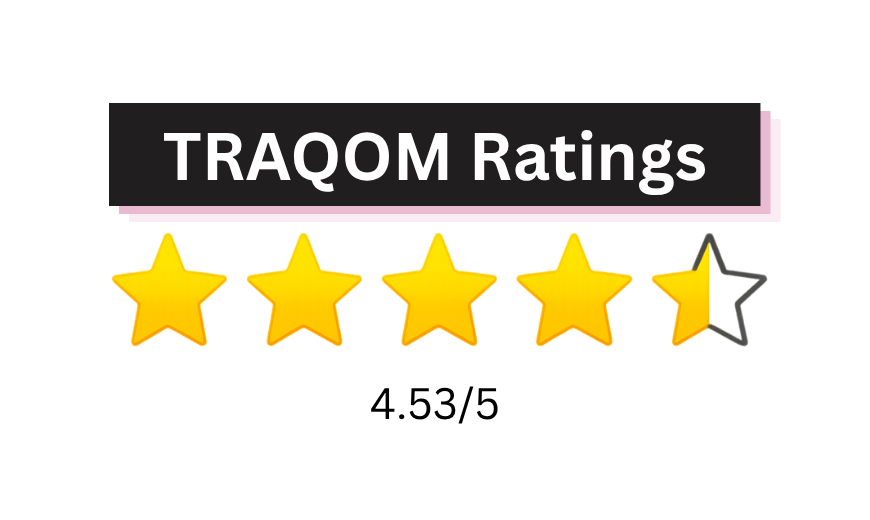
Training Quality and Outcomes Measurement (TRAQOM) ratings are provided by trainees who have completed SSG-funded courses. These ratings reflect trainees’ overall learning experience and their likelihood of recommending the course to others.

Book Class Now!