Basic Computer Courses for Senior Citizens
 | 2 Hours Course |
 | SkillsFuture Ineligible |
| UTAP Ineligible |
- Course Introduction
- Course Outline
- Requirements
- FAQs
Course Overview
Basic Computer Course – Senior Citizens
This course is specially designed for senior citizens who wish to build confidence in using computers for daily life. Conducted in either Chinese or English, the program provides a supportive learning environment with simple, step-by-step guidance.
The class covers essential computer skills such as using the keyboard and mouse, managing files, browsing the internet, and sending emails. Through hands-on practice and guided exercises, learners will be able to apply what they learn immediately. The session will also introduce learners to the next level of digital learning, including Excel, PowerPoint, and AI tools.
Who Should Attend
This basic computer course is ideal for:
- Senior citizens who want to build confidence in using computers for daily life
- Individuals with little or no prior computer experience
- Those interested in learning essential digital skills such as email, internet browsing, and file management
- Learners who prefer a step-by-step, patient, and bilingual (Chinese/English) teaching approach.
Locations
Tampines Central, Toa Payoh central & Jurong East Central
Our course is conducted in a classroom setting, providing an interactive and engaging learning experience.
Tampines Central
300 Tampines Avenue 5, NTUC Income Tampines Junction #07-05, Singapore 529653 (Opposite Our Tampines Hub)
Toa Payoh Central
Blk 190 Toa Payoh Lorong 6, #02-514 Singapore 310190 (Above KFC)
Jurong East Central
2 Venture Drive, Vision Exchange, #07-23 Singapore 608526
Languages
English/Chinese Language.
Mode of Training
- Classroom-Based Training
- Duration: 2 Hours (No Assessment)
Course Details
Course Details
Course Provider: Olympus Learning Academy Pte Ltd
UEN: 201100010Z
Course Objectives
By the end of this course, participants will be able to:
- Prepare for further learning – gain awareness of more advanced digital skills such as Excel, PowerPoint, and AI tools.
- Understand basic computer operations – turn on a computer, recognize desktop icons, and navigate the taskbar.
- Use input devices confidently – type simple text using the keyboard and perform mouse functions (click, right-click, scroll).
- Manage digital files – create, save, and organize files and folders with proper naming rules.
- Browse the internet safely and effectively – open a web browser and search for information on Google.
- Use email for communication – compose, send, reply, and attach files in emails.
- Apply practical skills – perform guided hands-on exercises to reinforce learning.
Course Outline
This course will cover the following topics:
- Introduction to Computers (15 min)
• Understanding desktop, icons, and taskbar - Keyboard & Mouse Skills (15 min)
• Basic typing practice
• Using mouse clicks, right-click, and scroll - File Management (20 min)
• Creating, saving, and organizing files/folders
• Simple file naming rules - Basic Internet Skills (20 min)
• Using a web browser
• Searching for information on Google - Email Basics (20 min)
• How to compose, send, and reply to emails
• Attachments and links - Hands-on Practice (20 min)
• Practice exercises for learners to apply what they learned - Q&A + Next Steps (10 min)
• Quick recap
Certification
Certificate of Attendance will be issued upon complete the course.
Visit this page for more Microsoft Office courses in Singapore.
Pre-requisites
- No prior computer knowledge is required.
- Basic literacy (able to read simple English or Chinese).
- Learners should bring reading glasses if needed for screen work.
Duration
- 2 Hours Course
Price
| Individual Sponsored (After Subsidy) | SME Company Sponsored (After Subsidy) | |
| Full Course Fee | $30.00 (Foreigners and those not eligible for subsidies) | $163.50 (Foreigners and those not eligible for subsidies) |
| For Singaporeans Aged 39 and Below | $30.00 | $30.00 |
| For Singaporeans Aged 40 and Above | $30.00 | $30.00 |
Frequently Asked Questions About Basic Computer Course – Senior Citizens
Do I need to bring a laptop?
Yes, please bring a laptop. If you don’t have one, don’t worry — we may be able to provide a laptop for use during the class.”
Will I get a certificate?
Yes, Certificate of Attendance will be issued upon complete the course.
How am I assessed?
This baking course is fully eligible for SkillsFuture credit. Singaporean citizens can utilise their SkillsFuture credits to offset the course fees, making this quality culinary training more affordable. Upon successful completion of all course requirements, including achieving the minimum attendance and passing assessments, participants will receive a Statement of Attainment (SOA) issued by SkillsFuture Singapore (SSG).
What are the course funding available?
Funding Eligibility Criteria
Individual and Corporate Sponsored
– Singapore citizens or Singapore permanent residents
– From October 1, 2023, attendance for all courses sponsored by SkillsFuture Singapore (SSG) must be conducted through the Singpass app. This applies to both in-person and concurrent online learning courses.
– Students must achieve at least 75% attendance.
– Students must pass all required tests/assessments and achieve 100% skill level.
– We reserve the right to reclaim the sponsorship amount if a student fails to meet the eligibility criteria.
Funding types
Individual Sponsored
SkillsFuture:
Eligible Singapore citizens can use the SkillsFuture Training Grant to offset course fees (the remaining amount after the grant).
Trainers Training Assistance Scheme (UTAP):
This course is eligible for the Traders Training Assistance Scheme (UTAP).
NTUC members can receive up to 50% assistance (up to a maximum of S$250 per year).
Company Sponsored Students
Absentee Payroll (AP) Funding:
S$4.50 per hour, capped at S$100,000 per company per year.
AP allowance will be calculated based on the actual number of training hours attended by the student.
Related Courses

Microsoft Office Excel Course
This Microsoft Office Excel Course provides a solid foundation in spreadsheet concepts. Learn to create, format, and modify spreadsheets using standard formulas and functions, and build clear, impactful charts and graphs.
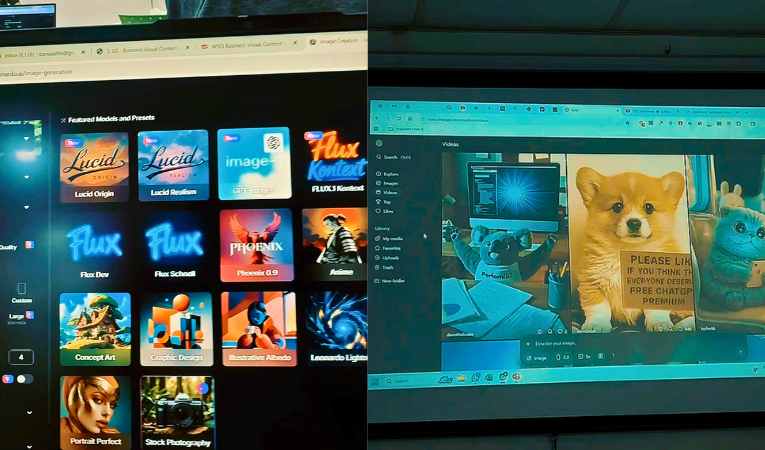
Business Visual Content Creation with Generative AI Tools
This Generative AI Tools Course trains individuals and professionals to use Generative AI for creating impactful visual content. Participants will learn practical applications—from concept development to production—through hands-on exercises using various AI tools and platforms.

Photography & Video Editing Course for Social Media in Singapore
In this Photography & Video Editing Course, you will learn to maximize your smartphone camera for quality photos and videos. This course covers shooting, editing, and strategies for effective social media video marketing.

| FULL COURSE FEE | $30.00 |
|---|---|
| Duration | 3 hours |
| Tea Break | Provided |
Available in: English

Book Class Now!